

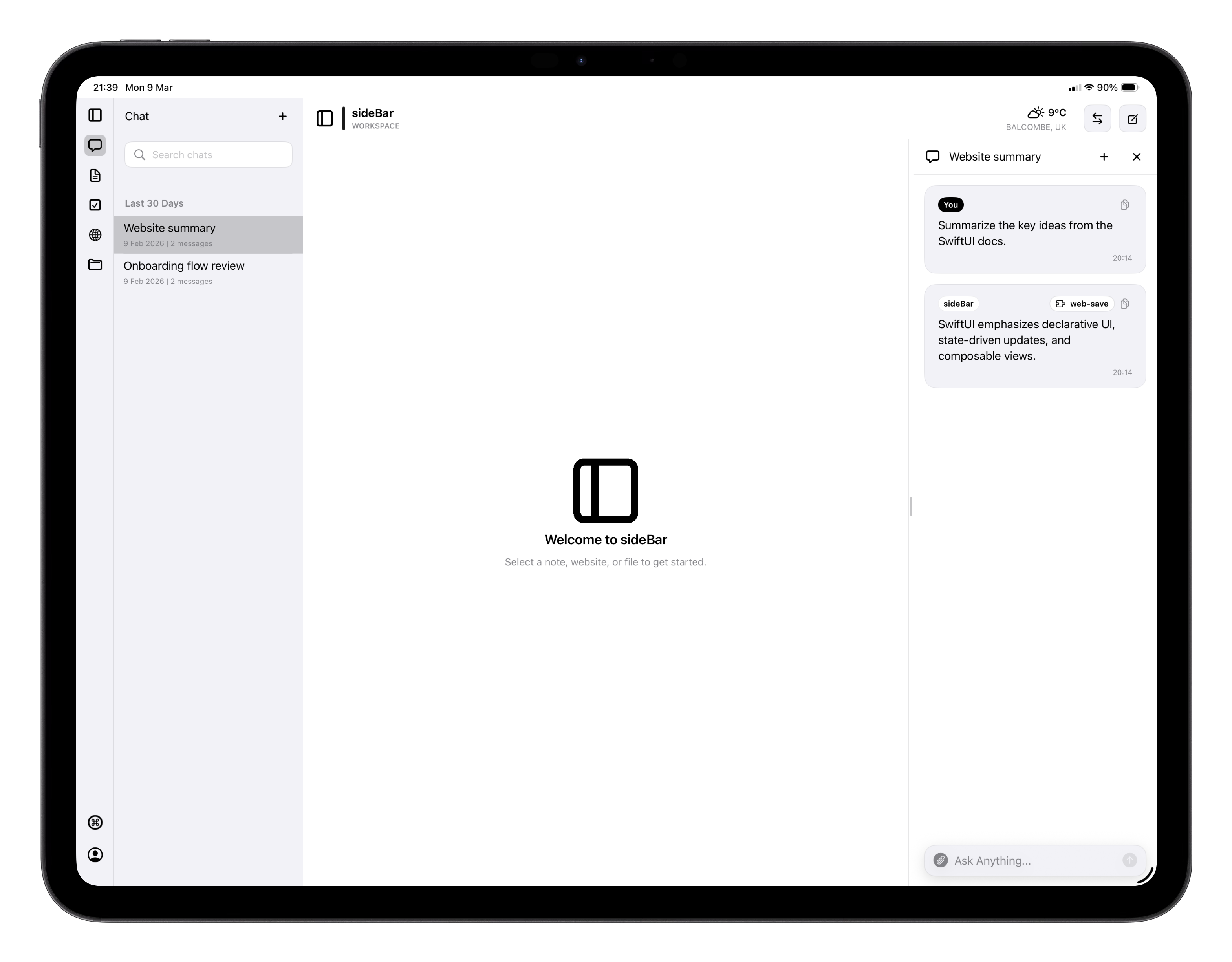
What’s in the App
- Chat: your main interface with sideBar. Ask questions, give instructions, or just think out loud.
- Notes: a full-featured editor for capturing and organising your writing.
- Tasks: a lightweight to-do system both you and sideBar can use, with project-based organisation.
- Websites: saved webpages sideBar can read and reference.
- Files: documents and files you want sideBar to work with.
- Skills Store: browse and install additional capabilities to extend what sideBar can do.
Skills
Skills extend what sideBar can do. There are three kinds:- Required skills are always active and power core capabilities like sideBar’s identity and feedback tools.
- Standard skills come pre-installed and cover common capabilities. You can turn each of them on or off.
- Store skills are additional capabilities you can install yourself from the Skills Store. Examples include transcribing YouTube videos and integrations with services like Gmail and Spotify.
Keyboard Shortcuts
sideBar supports keyboard shortcuts throughout the app on iPad and Mac. Press Cmd+Shift+/ at any time to see all available shortcuts for the current view. Universal shortcuts available everywhere:| Shortcut | Action |
|---|---|
| Cmd+1 through Cmd+6 | Navigate to each section |
| Cmd+N | New item |
| Cmd+F | Search |
| Cmd+, | Open Settings |
| Cmd+W | Close |
| Cmd+R | Refresh |
| Cmd+Shift+O | Open Scratchpad |
| Cmd+Shift+S | Toggle sidebar |
| Cmd+Shift+/ | Show all shortcuts |