

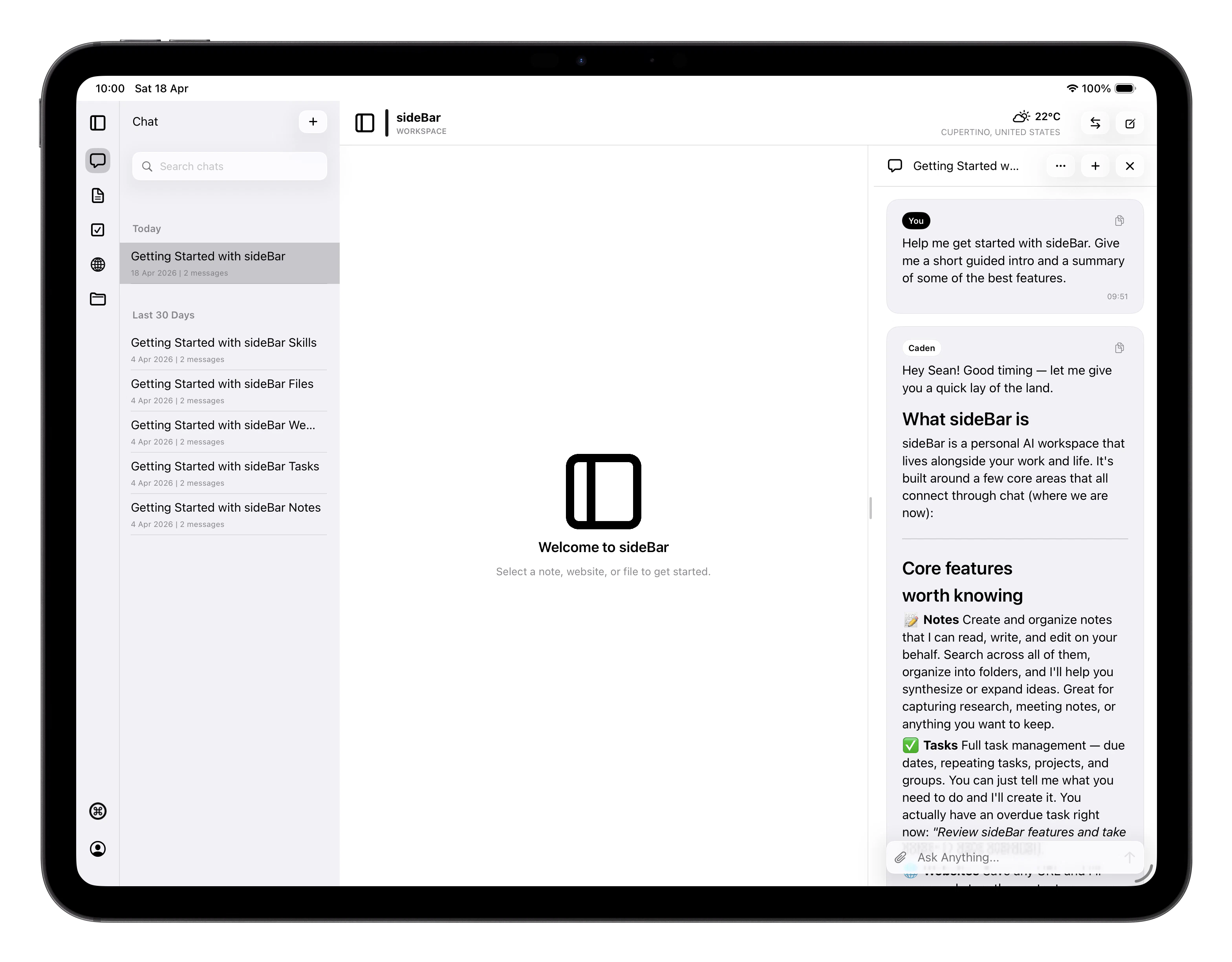
Starting and Managing Conversations
Your conversations are listed with auto-generated titles and a message count so you can tell them apart at a glance. They’re organised by date and you can tap any conversation to open it. Swipe right on any conversation to rename it, or swipe left to delete it. You can also ask sideBar to rename a conversation for you. For now, it only does this when you ask directly. That can be the current chat or another saved chat by title or context. If more than one chat seems to match, sideBar asks a follow-up before it renames anything. To start a fresh conversation, tap New and you’re off!Sending Messages
Type your message and tap send. Replies stream in as they’re generated, so you see words appear progressively rather than waiting for the whole response. A Thinking… placeholder appears first while sideBar thinks about your request. If the latest eligible failed assistant response can be retried, that bubble shows a retry icon next to the error pill. Retry removes the failed response from the conversation and starts a fresh assistant attempt in its place. If you enable Assistant reply notifications in Settings, sideBar can also alert you when a reply is ready while your device is away. Tapping the notification opens the conversation that received the reply. You can attach files to any message. Attachments move through three states before the message is ready to send:- Uploading: the file is transferring; you can cancel at this stage
- Queued: the upload finished and the file is being prepared
- Ready: the attachment is processed and the message can be sent
Skills in Action
When sideBar uses a Skill to answer your message, a skills pill appears in the response. Each skills pill shows:- Its name for a single skill, or N skills used when several skills ran
- Its status: running, success, or error
Context sideBar Receives
Every message you send includes context sideBar uses to give you more relevant, grounded responses. You don’t need to state any of this, it’s included automatically.What sideBar knows automatically
Your device sends a few pieces of environment context with every message:- Date and time: the current date, time, and your timezone
- Location: your current location (if you’ve granted permission), from city level down to country
- Weather: current conditions at your location, including temperature, wind, and precipitation
- Device: your operating system (iOS, macOS, etc.)
What sideBar brings into every conversation
Beyond environment context, sideBar also draws on:- Your profile: name, pronouns, age, job title, employer, and home location from your account settings if you’ve shared it
- What you have open: if you have a note, website, or file open in the app, sideBar can see its content and use it in your conversation
- Recent activity: notes, websites, files, and chats you’ve worked with today
- Your tasks: a snapshot of your current tasks list. What’s overdue, due today, and what’s due tomorrow
- Your personalisation settings: your communication style, working relationship, and sideBar’s identity and soul. See Personality and Settings
- Relevant skills: sideBar dynamically selects which of your enabled skills to include based on your message, so only what’s useful is loaded