

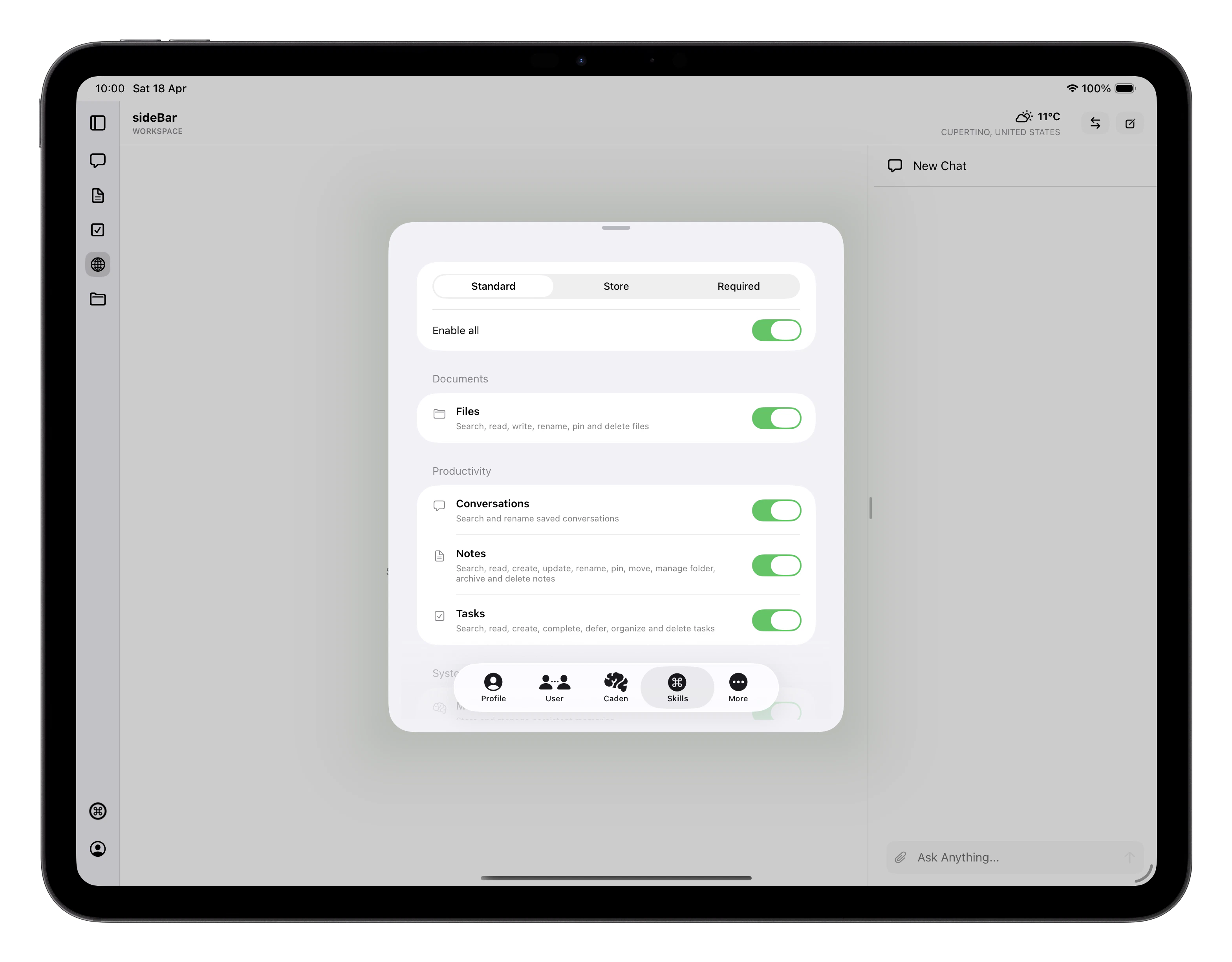
Skill Types
Settings organises skills into two groups:- Included: skills that come with sideBar. Some are optional and can be turned on or off. Core skills are locked on because sideBar depends on them to function.
- Store: additional skills you choose to install from the Skills Store. Some are ready to use immediately; others require an API key from an external service, which you provide during installation.
Skill States
Included skills have a toggle: enabled means sideBar can use the skill, disabled means it’s installed but inactive until you turn it back on. Locked included skills are always active and cannot be disabled. Store skills can also show as unavailable, this means the skill is installed but can’t run right now, either because a required API key is missing or the skill requires a plan upgrade. sideBar will tell you what’s needed. Skills marked Beta are early access. They work, but their behaviour may change in a future update.Mixing Skills
Skills are most powerful when they work together. sideBar can chain multiple skills in a single conversation turn without you needing to think about which ones are involved. A few examples of what this looks like in practice:- Research and capture: “Search for the latest news on X and save a summary as a note” uses Web Search to find results and Notes to write them up.
- Plan from content: “Read the article I saved yesterday and create tasks for each action item” uses Websites to pull in the page and Tasks to capture the actions.
- Cross-reference: “What tasks do I have this week, and have I saved anything relevant to them?” uses Tasks and Websites together to give you a joined-up view.
- Capture and follow up: “Save this URL, give me a one-paragraph summary, and add a task to read it properly tonight” uses Websites, Notes, and Tasks in one go.